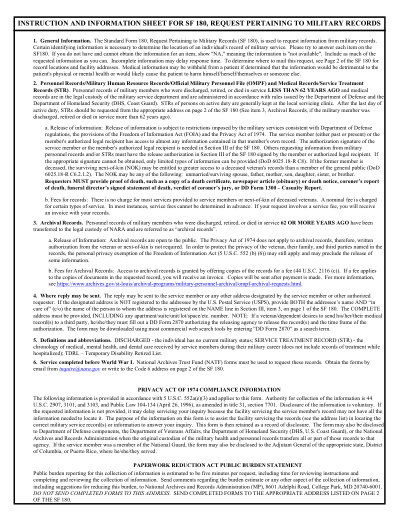
แบบฟอร์มพิมพ์ได้ ปี 2025
This website is not affiliated with any government agency or tax authority.
อัปเดตล่าสุด: 03/2024 กรุณาตรวจสอบว่าเป็นเวอร์ชันปัจจุบันก่อนใช้งาน
กรอกและส่ง SF 180 ได้ง่ายๆ
ทำตามขั้นตอนง่ายๆ เพื่อกรอก เซ็น และส่ง SF 180 ออนไลน์
กรอกข้อมูลในแบบฟอร์ม
โปรแกรมแก้ไขที่ใช้งานง่าย ช่วยให้คุณกรอกข้อมูลส่วนตัวและข้อมูลธุรกิจลงใน SF 180 ได้อย่างรวดเร็ว
เซ็นแบบฟอร์ม
เพิ่มลายเซ็นอิเล็กทรอนิกส์ลงใน SF 180 เพื่อยืนยันว่าเอกสารมาจากคุณโดยตรง
ส่งให้ผู้รับ
ดาวน์โหลดแล้วพิมพ์หรือแชร์ SF 180 ที่เซ็นแล้วให้ผู้รับได้ทันที
กรอก SF 180 ออนไลน์ได้อย่างไร?
ทำตามขั้นตอนเหล่านี้เพื่อกรอก SF 180 ออนไลน์ให้ครบถ้วน
Step 01
Access the SF 180 form from the National Archives website.
Step 02
Complete the form with the required personal and service details.
Step 03
Specify your relationship to the veteran if you are submitting on their behalf.
Step 04
Select the type of military records you need.
Step 05
Provide the reason for your request.
Step 06
Review all entered information for accuracy and sign the form if required.
SF 180 ใช้สำหรับอะไร?
ใครต้องกรอก SF 180
What is the purpose of the SF 180 form?
Who can submit the SF 180 form?
How do I check the status of my SF 180 request?
พร้อมกรอก SF 180 แล้วหรือยัง?
เริ่มกรอกแบบฟอร์มออนไลน์ได้ในไม่กี่นาที รวดเร็ว ปลอดภัย และฟรีทั้งหมด
Our users speak for themselves
คุณภาพที่ได้รับการยืนยันจากผู้ใช้งานจริง
"The editing was very easy and easy to download the document."
Fouzia Barwari
Jun 2, 2026
"Quick easy and straightforward thank you"
MRS DAWN ANDREWS
May 23, 2026
"Simple efficient process. It all worked."
Sundeep Salins
Jun 3, 2026
"Editing was easy. I changed some text in the file without affecting the original font or page layout"
Bhagya
May 14, 2026
คำถามที่พบบ่อย
Convert2 คืออะไร?
Convert2 ปลอดภัยไหม?
Convert2 เป็นแบบสมัครสมาชิกหรือซื้อขาด?
แก้ไข PDF บน Convert2 ทำอย่างไร?
Convert2 มีฟีเจอร์อะไรบ้าง?
Convert2 รองรับไฟล์ประเภทใดบ้าง?
ถ้าเกิดข้อผิดพลาดควรทำอย่างไร?
จะเลือกเครื่องมือ PDF ออนไลน์ที่เหมาะสมได้อย่างไร?